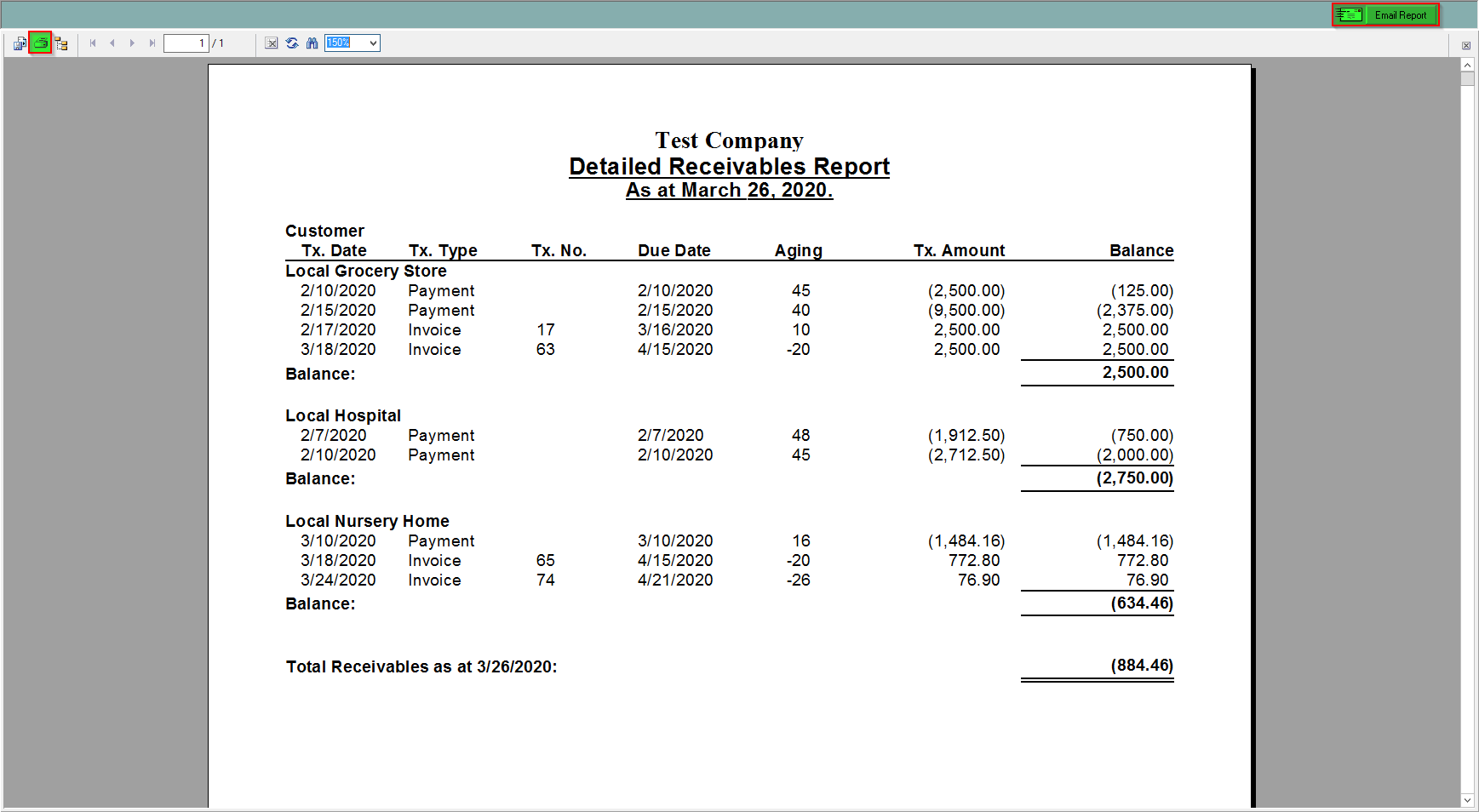
This report shows the accounts receivables by customer in detail. It shows each customer, the date, type, number, due date, aging, amount and balance. It will also say the total receivables for all customers.
To find this report:
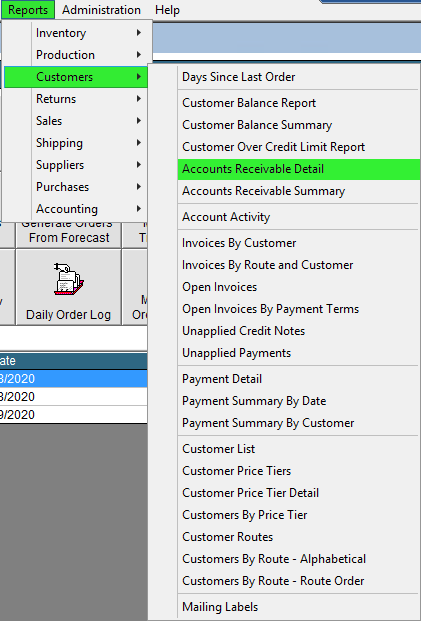
- In the Drop Down Menu click Reports, then select Customers, then press Accounts Receivable Detail
- From this print preview you can save or print in the top left, or email the report directly from FlexiBake in the top right using the Email Report button.