
Price tiers allow you to assign special prices to individual customers or groups without duplicating products, streamlining your pricing strategy for different customer profiles or sales situations.
Tip: Use price tiers for flexible customer pricing based on volume, region, or customer type. If neither a customer nor a product is assigned to a tier, the standard product price will be used instead
Creating a Price Tier
Step 1
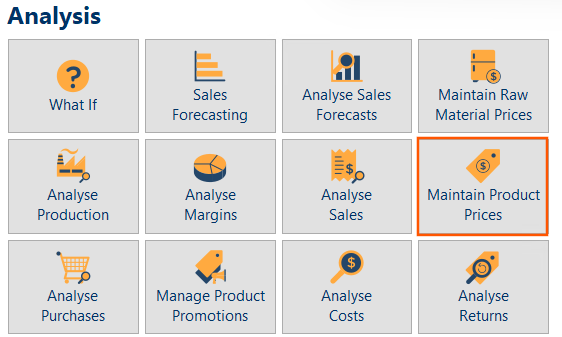
Go to the Analysis Centre and select Maintain Product Prices.
Step 2
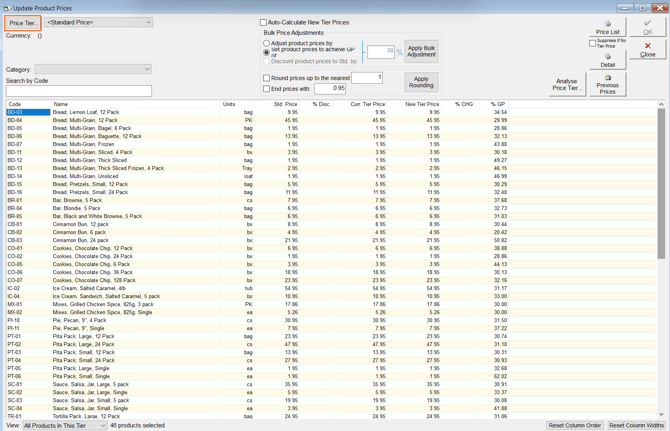
Click the Price Tier button in the top left corner.
Step 3
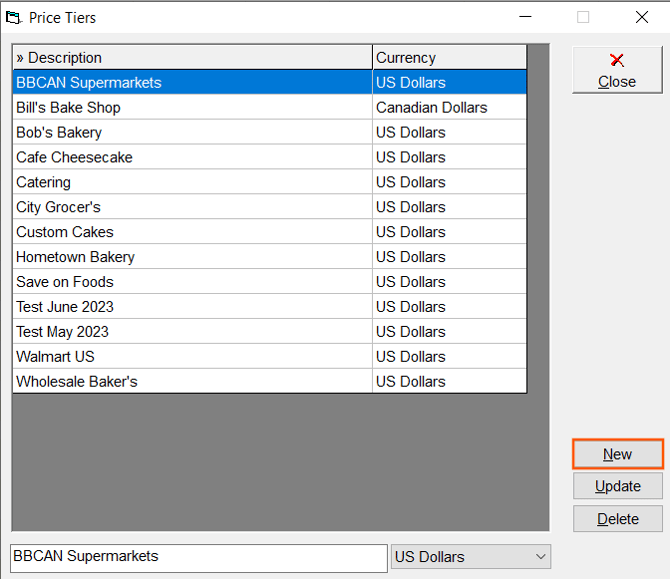
Click the New button.
Step 4
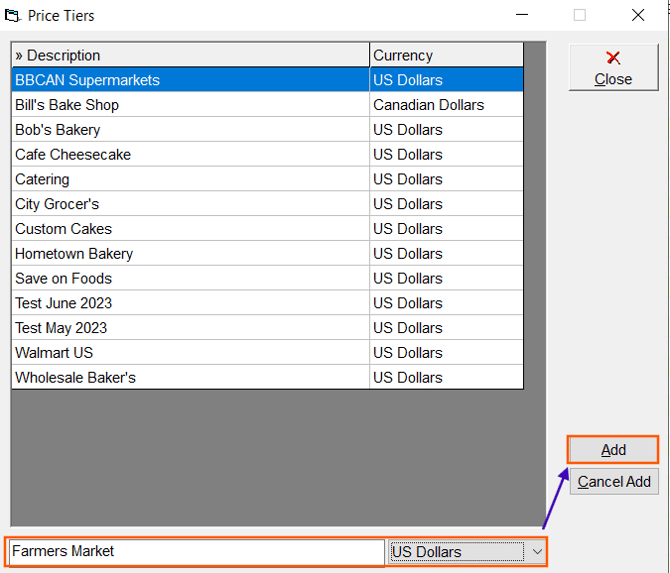
Enter a unique name for your price tier, select the currency then click Add to save.
Next Steps after creating a Price Tier
- Set Produce Prices within a Price Tier: Distinguish your price tiers by adding prices for your products within that tier.
- Assign a Price Tier to a Customer
Video Tutorial
A video guide on creating a price tier is available below.